
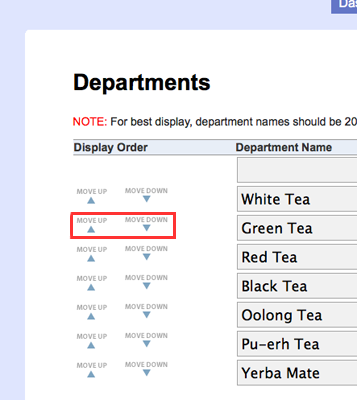
You can now change the order that departments are listed in your store. Log in and go to the Products > Departments page. Each department has a “Move Down” and “Move Up” button next to it. Use these buttons to organize the list in the exact order that you want it to be displayed in your store.
Tags: features
Another great feature added. Keep it up!
I LOVE IT!!!! Thank you for another handy feature!!!!!
thanks for coming through on this one… love it!
Hi, we’ve just signed up for the free trial and I have to say yours is the most user friendly online shop package we’ve found so far, it has loads of potential!
Is there any way to nest departments/create subcategories? Our product range is so broad we really need to be able to create subcategories to organise the items properly, especially if we upgrade to the higher plans
Thanks