Big corporations are starting to unlock the mystery that is “social shopping,” but for us, it’s not just a buzzword—it’s a what we do every day. While you may sometimes feel like you don’t stand a chance running a small business online against the big guys backed by lots of money and resources, you may not realize that you have something they don’t have: a real voice. You’re a real person with real ideas and you can connect with other real people just like you. As for us, we make it easier for you to get your message out to your customers.
Talk About What You Know
Part of what makes Flying Cart so unique is of course all of our amazing shops with creative products run by passionate sellers. You guys have real expertise in your niches, so why not put your talents and knowledge to good use and share some of your insight with your customers and really get personal with your readers.
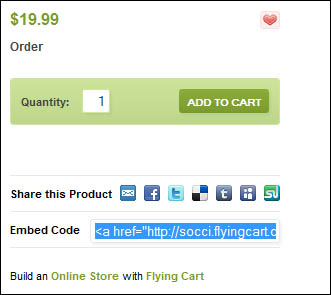
For example if you sell sports jerseys then share your passion about sports. Blog about your favorite teams and players, tweet about recent games and share videos of plays on YouTube. Now that you’ve got your audience hooked, let Flying Cart help you sell some stuff. If you’re blogging about a Phillies game use the embed feature to add a Phillies jersey you sell right onto your blog.
Share With Online Communities

Of course if your customer base isn’t very large yet, social shopping can help you reach your target market. We’re not suggesting that you spam a bunch of blogs and forums or pretend to be someone else. This whole social thing is about transparency and making real connection—a point that a lot of companies miss. Instead try being open and letting people know who you are and what you do and they’ll appreciate the honesty. And if they enjoying communicating with you and find your contributions to the group helpful, they’ll check out your products. No spam necessary.
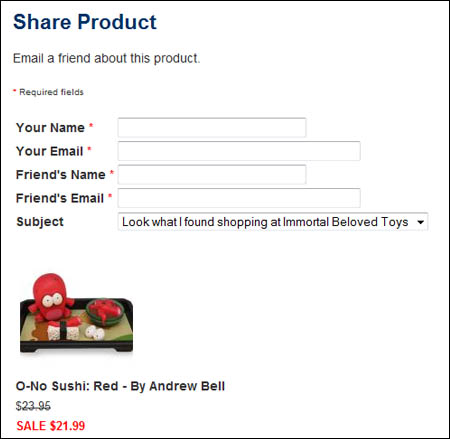
In the sports jersey example as a sports fan you might be part of some online communities like the ESPN message boards, which is the market you want to tap into. That’s where those link sharing buttons come in handy.
Your Adoring Fans Await
Of course you don’t have to just rely on outside sources like blogs and social networking sites to connect with your fans. Flying Cart gives you your very own fan club, giving you another way to reach out to your customers. Send your fans updates or look them up on social networking sites like Twitter, Myspace or Facebook. Fans can also stop by and leave a message and show their support on your Fan Club page.
Putting It All Together
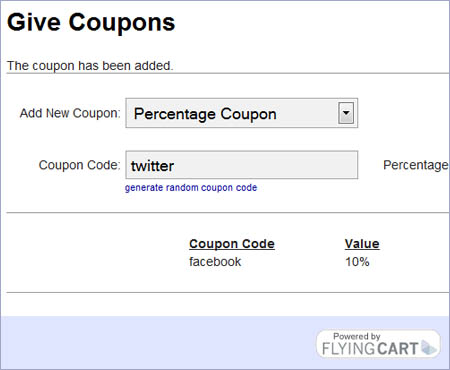
There’s no one method of social marketing that works; you have to use all of these methods together to really get results. Use every outlet to your advantage and give back to your customers. Remind your fan club members, Facebook fans, Twitter followers and blog readers that you appreciate their time and offer exclusive coupons. For instance, if you create a coupon just for Facebook it makes your fans feel like they have a good reason to check your page often.
Stores Doing it Right

As you know, starting a blog is a great way to connect with customers, something that Julie Ellsworth understands. She sells giclée prints and discusses her creative process in detail on her blog Consume Create, giving her customers deep insight into her work and the meaning behind each piece.

Even easier than blogging, setting up a Facebook Fan Page is another effective way to keep in touch with your customers. Kitsch Klothing created a Facebook fan page so their customers can stay updated on events and new products and they link right to it from their Flying Cart shop rather than linking to a blog.
Tell Us What Works For You!
How do you participate in social shopping? How do you connect with your customers? How do stores you love connect with you? We want to know about your experience with social shopping and what’s worked for you.