Tips for Creating an Online Store

ASK FC: Should I partner with someone?

Tuesday, November 10th, 2009 by rishi

Vicki of No2Alike Jewelery asks: “Hi, I am being asked to partner with someone, exactly how does this work? Will they get any of my profits from my website and how will this benefit me and my business? Is this a good idea? I don’t know anything about this. Thank-you, Vicki”

Thanks for the great question Vicki.

What is it?

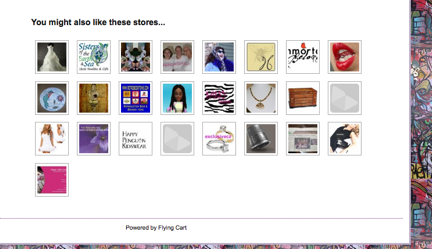
A partnership allows you to display a link to your store on their store and vice versa.  Checkout Shop JunCk’s partnerships:

shop-junck

How does it work?

If you accept a partnership request your stores will be automatically linked on your store homepage.  If you want to seek out partners you can easily do that in the Network -> Find Partners section.

Should you do it?

If you like your partners store and what they are doing then YES you should do it.  It will help you get more traffic to your store.

Will they get any of your profits?

No.

Featured Store: Flux Collection

Friday, October 16th, 2009 by rishi

flux-collection-artist-tee-shirts-and-apparel

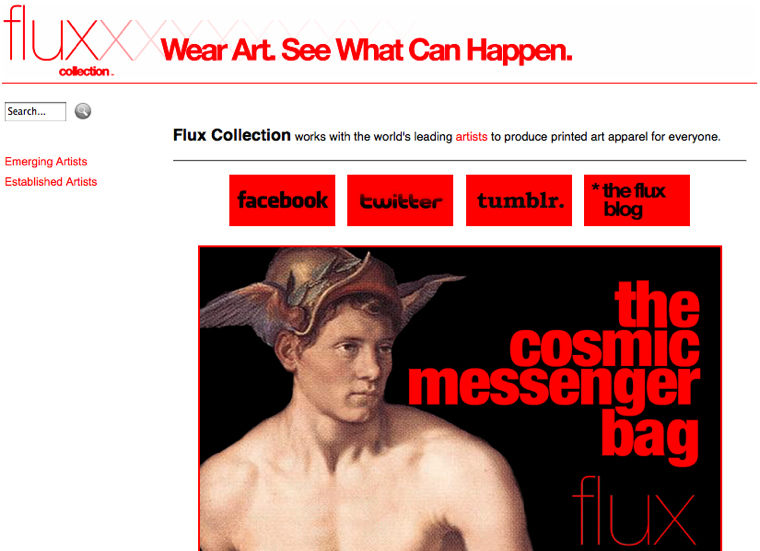
I really love what these guys are doing with their store.  They are using social media and having a ton of fun with it.

They are running a special on the flux messenger bag and they just did a hilarious post:

What’s in Rob’s bag ?? Check it out.

Posted: October 16th, 2009 | Author: Robert MacNeill | Filed under: Architecture, Fashion, Industrial & Product Design, Pop Culture, The Environment, Uncategorized | Tags: , , , , , , | 2 Comments »

DSC_0040

I have a flux messenger bag prototype, and I use it everyday.  You’ll be amazed at what it can hold!

It’s good for carrying all sorts of things.  If you don’t believe me, check out what I had today on my way to the studio!

DSC_0031
all sorts of stuff
DSC_0027
my camera
DSC_0025
judy garland record
DSC_0023
4 cup coffee maker
DSC_0022
work shirt
DSC_0020
architectural plans for a gallery
DSC_0018
a mold for creating concrete ducks
DSC_0016
a gift for michael
DSC_0015
work jeans
DSC_0013
It all fits in my Flux Collection Bag. Click here to find out more.

See the Flux Collection Messenger Bag in our store!

cosmic messenger bag

Amzed Designs

Friday, September 25th, 2009 by rishi

amzed-hussain

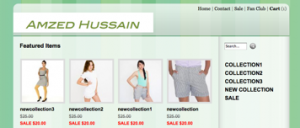
We just added Amzed Designs to our list of talented designers you can hire to design your store.  Check out our full list here.

New Feature: Coupons are here!

Tuesday, September 15th, 2009 by rishi

Buying things on your store just got a little sweeter.  Give your customers coupon codes to receive a discounts on their order.  You can give customers two types of coupons 1) Percentage based and/or 2) Free Shipping.

After creating a coupon code, customers will see a new field to enter a optional coupon code. When they enter a valid coupon code, they’ll see a discount in their total.

This feature is available to all Pro and Super customers.  To use this feature head over to Marketing -> Give Coupons and create a coupon code.

Bonus Feature: Make the coupon public and we will list it on our public store coupons page!

Featured Store: Eb Boutique Inc.

Wednesday, September 2nd, 2009 by rishi

ebboutiqueinc

Lessons from very tiny businesses

Wednesday, August 12th, 2009 by rishi

One of my favorite blogs to read is Seth Godin’s Blog and he just had a great post that I just had to share with you called “Lessons from very tiny businesses”.

Your SEO Friend: The Website Title

Monday, August 10th, 2009 by rishi

One of the best ways to get natural organic search results on Google/Yahoo/Bing is to put your main keywords in your website title.

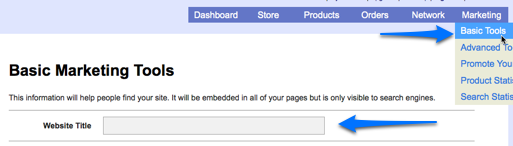
Now you can modify the title tags of your store.  Go to Marketing -> Basic Tools and enter in your website title.

Website-Title-UnderBasicTools

What should your website title be?  It should be your store name and what you sell.

Ask yourself: “What do I want my potential customers typing into Google to find me?” – That is what your website title should be.

Feel free to ask me for suggestions on what your website title should be in the comments.

Custom CSS just got easier

Wednesday, August 5th, 2009 by rishi

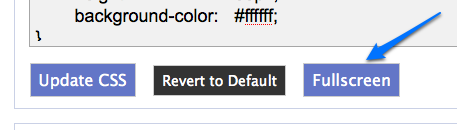
Our custom CSS now has helpful comments and is structured it to be easier to read.  We also added a nifty “Fullscreen” button so you can use your entire computer screen to work on your CSS.

fullscreen

New Feature: Add an Extra Page

Monday, August 3rd, 2009 by rishi

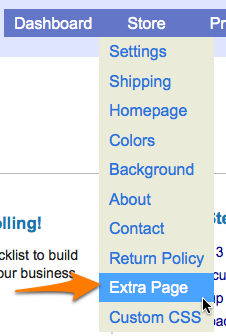
Add an extra page to your store! Use this page to add a customer testimonial section, more information on your products, pictures of your customers, or anything else you can think of.

extra-page

This page will be added to the main navigation in your store.  Enjoy!

How can I rearrange my products?

Thursday, July 30th, 2009 by rishi

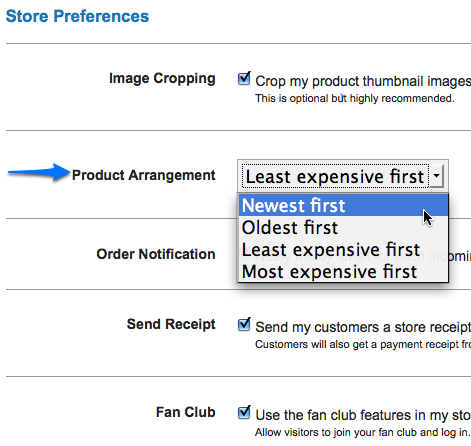
We just added a new feature that allows you to rearrange your products (on your department and featured section pages) in 4 ways!

1. Newest First

2. Oldest First

3. Least Expensive First

4. Most Expensive First

You can change the way your products are arranged in your store settings section under “Store Preferences”.

product-arrangement3

Here is a quick video going over this new feature:

Happy rearranging!