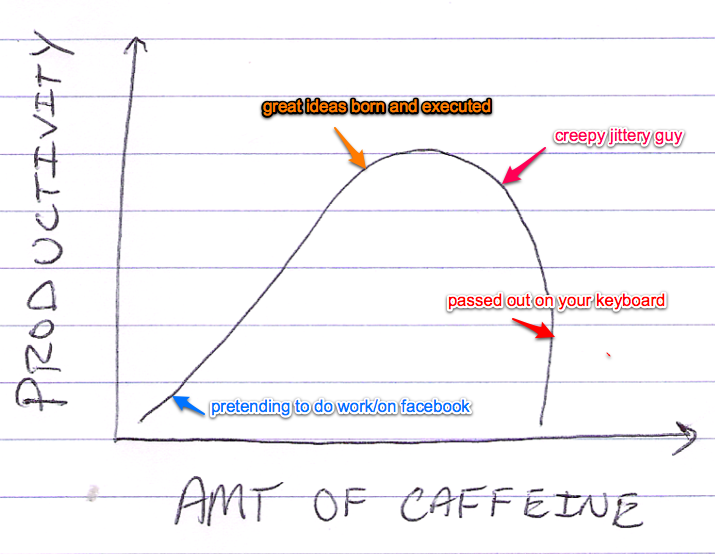
This video demonstrates the importance of forming a connection with consumers to create brand advocates instead of simply encouraging people to buy a product.
We recently added the search box to all Flying Cart stores, but are you curious what your customers are searching for? Wouldn’t it be nice to target your marketing efforts by being able to focus on products that you know they want? Now you can do that.
Our latest feature is a Search Statistics page where you can see a log of the last 200 searches done in your store. Click on Marketing > Search Statistics in your Headquarters. For each search you will see the date and time of the search, the search term, and the user’s IP address. This last field is the unique internet address of the user’s computer and you can use this to identify if the same user is doing a lot of different searches.
Note that the search logging begins today, July 2, 2009 so the data will be collected from this date forward.
You can now add custom content to the top of your department pages. Add an image or write some descriptive text to give your pages some personality.
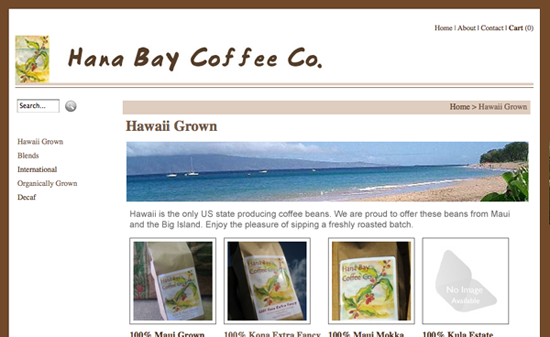
Here’s an example using Hana Bay Coffee (hanabaycoffee.flyingcart.com). I added an image to illustrate the “Hawaii” concept on this page and I wrote a few sentences about the Hawaiian beans.
Here’s how to do it:
1. Log in to your heaquarters and go to the Products > Departments page.
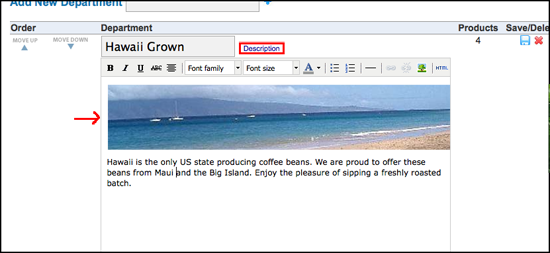
2. Click on the word “Description” next to the department name and an HTML editor will appear.
3. Enter your content into the editor. If you want to insert an image, you can use one of the images you uploaded on your custom CSS page or you can link to an image that you have hosted elsewhere (try <a href=”http://www.flickr.com” target=”new”>Flickr</a>).
4. When you are done, click the blue disk icon next to the department to save your changes.
5. Go to your store and check out the department page. How does it look?
Flying Cart is looking for a talented programmer to add to our small team. We need an expert PHP coder who knows how to think outside the box. We are looking for someone who is passionate about ecommerce and small business, and is filled with creative ideas about how to help business owners. Design skills would be a bonus. You must be located in San Francisco or willing to move there. (We are not there yet but will be soon.)
You should:
• have a minimum of 10 years of programming experience with at least 5 of those in the web startup world
• have expert-level knowledge of PHP, MySQL, Javascript/AJAX, OOP, MVC architecture and PHP frameworks, web-app scalability, SVN, HTML, CSS. You should have a good working knowledge of Photoshop and SEO/SEM.
• be able to get things done independently
• consider yourself an entrepreneur at heart
• be passionate about ecommerce and small business
• have good writing and communcation skills
• have a good sense of humor
If you are interested in this position, we want to hear from you. Write us an email ([email protected]) telling us where you think ecommerce will be in two years and how you can make it better. Please include links to the last three projects you worked on (no resumes please) and the name of the last book you read.
Rounded corners are everywhere on the web, but they can be a little tricky to make. I was excited to find the free tool called RoundPic (http://www.roundpic.com/) that makes it really easy to round the corners of any image without using Photoshop. All you have to do is go to the site, browse for your image file, and a new rounded image is created. Then you can download it to your computer.
Consider using rounded corners on product images in your Flying Cart store to give it a clean and modern look. If you want to do it, I’d recommend you do all or none so your design is consistent. Here’s an example of an image I created with RoundPic:
We can help you sell any type of file - software, eBooks, videos, images, music, and more! Checkout Digioh.com and start selling your files right on your own website in seconds.