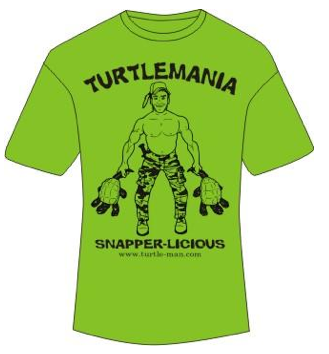
The Turtleman catches snapping turtles with his bare hands. He wades into murky swamp waters where turtles are likely to be, looks for their air bubbles, and then reaches down to pull them out by the tail. The largest one he has ever caught was 55 pounds!
Ernie Brown Jr. aka. “Turtleman” is from Kentucky and has become an international phenomenon in part because of his popular YouTube video that has gotten almost 1 million views. He has his own website, and recently launched his own Flying Cart store where he sells official Turtleman merchandise (turtlemania.flyingcart.com).
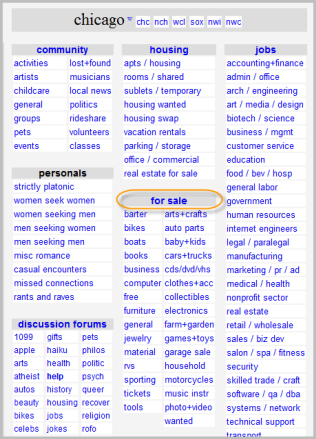
2. Click on your state and then city you are closest to (Craigslist sometimes figures out where you are located based on your IP address and takes you to your city automatically)
3. Click on “For Sale”
4. Click on “Post” in the upper right hand corner
5. Pick on the category that best describes your product
6. Enter in a title, description, price, upload your product image, and enter in your email address
7. Click continue
8. Verify the post in your email
Some pointers on writing a good listing
Title:
Good: Durable Heavy Duty Island Bay Hammock – Water Resistant
Bad: Check this posting out now!!!! BIG $$SALE
Description:
Good: Includes hammock, stand, and hanging hardware. Heavy-duty 12-gauge steel. Stand measures 15L x 4W x 4H feet. Shades of blue striping on quilted weather resistant fabric. Contact me if you have any questions.
Bad: Awesome Hammock – Call me for more details
Please Note: Craigslist is great for selling products locally. You will get banned from Craigslist if you try posting multiple items at once in multiple cities. You don’t want to get banned from Craigslist so follow their rules.
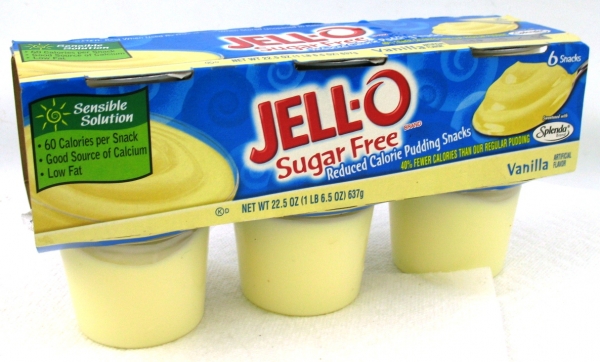
I really wanted some vanilla pudding last night so I went to the grocery store to buy some. All I could find was Sugar Free pudding. What happened to the ones packed with sugar? I couldn’t find any, all of them were sugar free.
I can just imagine the thought process behind this decision. More people buy the sugar free pudding so lets just produce sugar free. But what about the people that want something sweeter?
This would be a great niche. Sugar packed pudding – so good you have to eat it and not worry about your health.
If you sell something – how is your product a little different? How can you carve out a niche even in a dominated market? Go against what everyone else is doing.
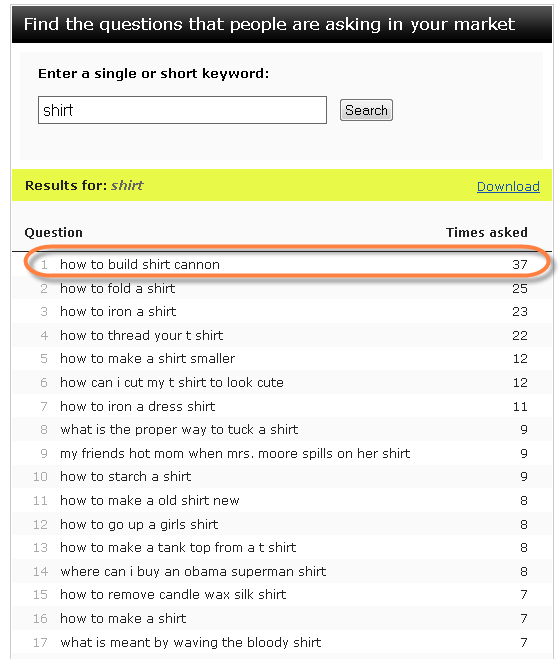
Check out the Keyword Tracker it answers the question “What are people asking for?”. Type in a keyword, I suggest starting with one of your products (sunglasses, shirts, etc.)
Who knew the #1 question for shirts would be “How to build a shirt cannon?”
So now that you know this information. What do you do with it?
Sell shirt cannons and run a Google adword campaign on “How to build a shirt cannon”
A customer just sent me an email saying they just paid $500 to a service that will guarantee his website 2 Million hits.
PLEASE don’t waste your money on services like this. How do I know this? I was also once new to the web world and fooled by this.
Here are my reasons:
1. 2 Million hits doesn’t mean 2 Million customers. If you are selling sunglasses and 2 Million people that are not interested in sunglasses go to your store that doesn’t do a thing for you.
2. They won’t be able to get 2 million people to your website.
3. From personal experience. From other customers experiences. Just don’t waste your money on this.
If you have $500 to spend on marketing. This is what you should do:
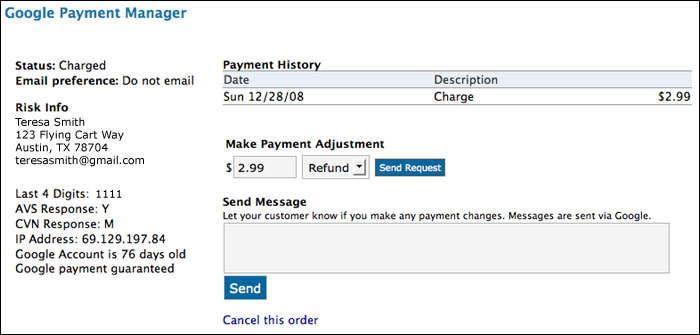
You can now take care of all Google payment management from within Flying Cart. Look for the Google Payment Manager link on the bottom of each order page in the Headquarters. You can view the order payment history, monitor the payment status, send refunds, send messages, cancel an order, and view the risk level of the customer’s payment method. The data shown on this screen matches what is in your Google Checkout account in real-time so this new feature can save you the trouble of going back and forth.
We have just added some cool new features to make your order fulfillment process a snap. Look for these new options on the bottom of each order page in your Headquarters.
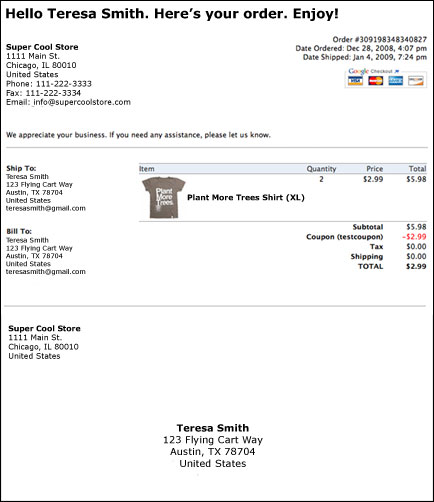
Step 1: Print Packing Slip
Click Print Packing Slip to display a printable page that functions as a receipt and a mailing label. It includes all the order information, your store contact information, and a snail-mail friendly section that you can cut off and attach to the package. Print this on label paper so all you have to do is cut and stick. [Note: print in Landscape mode for best results.]
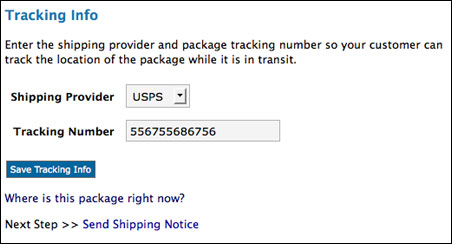
Step 2: Add Tracking Info
Your package is ready to go and you have purchased postage through your favorite shipping service (USPS, UPS, FedEx, DHL). You can now save the shipping service and tracking number with the order so the customer can track the location of the package after it has been shipped.
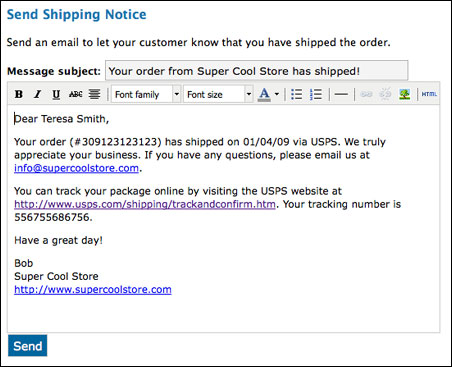
Step 3: Send Shipping Notice
Send your customer a personalized message to let him/her know that the order has shipped. We provide you with a basic message (including tracking info, if available) but you can modify the message as you wish. Shipping notifications are now done on an individual basis, rather than as an automatic option as they were before. This allows you to give your customers a more customized experience.
Step 4: Check It Off
Click on the shipping icon (picture of an envelope) to mark it as shipped. When you are done processing the order completely, click on the check icon to put the order in your archive. A blue icon means that step is complete. Look for these icons on the top of each order page.
Every year I make 1 goal personally for my business. What is yours? I am looking forward to your answers. Feel free to use the “Other” option and tell me what specifically you are going to do to grow your business.
We can help you sell any type of file - software, eBooks, videos, images, music, and more! Checkout Digioh.com and start selling your files right on your own website in seconds.